Sample: CRCD4 file
45 × 25 m with 21 numbers and a course path.
An AKC course from Clean Run Course Designer 4.

Import
Choose a CRCD4 file (.agl) or a plan image from Smarter Agility, as an image file or a screenshot. RunLine can't read photos of printouts. You can choose a file or paste an image without an account. To check and add it, you need a free account. You see the preview in the browser and only need the headset later.
Your file from before:
You need a free account to check the plan. Your file stays in this browser.
Sample
45 × 25 m with 21 numbers and a course path.
An AKC course from Clean Run Course Designer 4.

Plan image
A real course from Smarter Agility 9.12.2: FCI Agility 3, 45 × 22 m, 19 obstacles and 20 numbers. The first picture is the plan image, the second shows the recognition result without any manual correction.
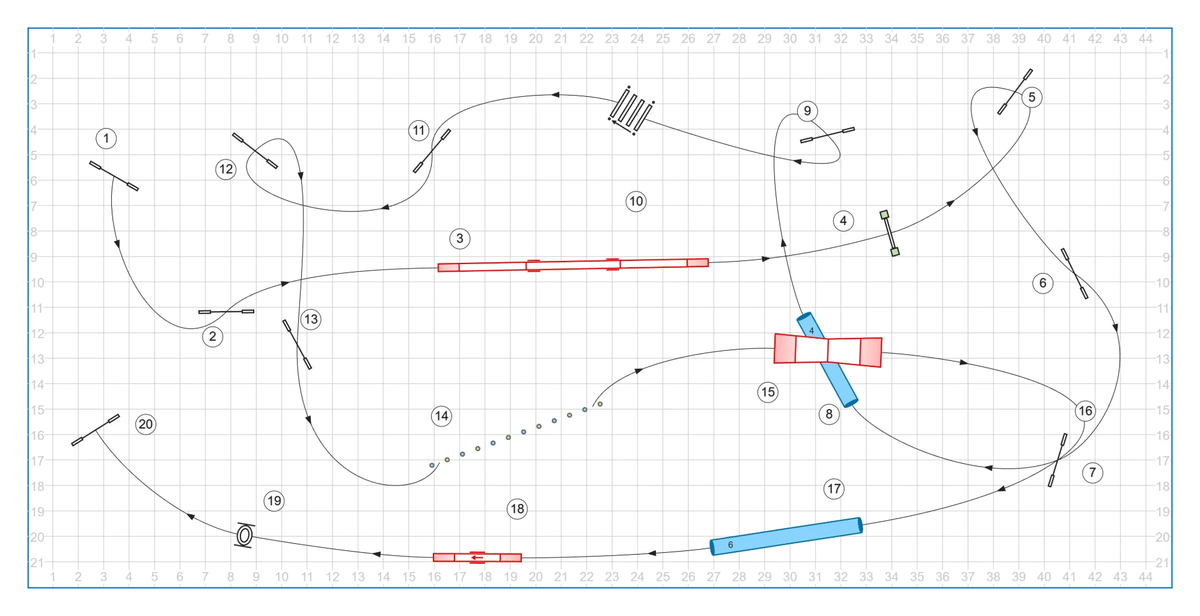
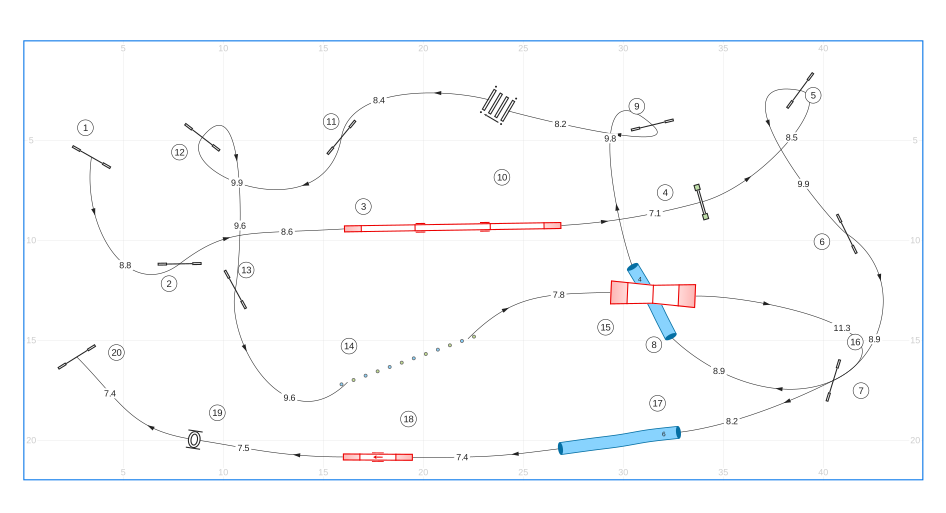
To check your own result in your account: first compare the numbers and the direction of the tunnels with your plan. Then check the field size, listed under the recognised course as “Field”. The image import does not read class and level from the plan. I ask you about unclear spots before you add the course, and you correct missing or shifted obstacles afterwards in Smarter Agility. When you crop the image, leave a narrow margin around the field border, otherwise RunLine can't detect the field reliably.
For this plan, RunLine recognised all 19 obstacles, all 20 numbers and the 45 × 22 m field. Deviations: on the long tunnel at the bottom, the length label “6” sits at the other end, and some numbers are slightly shifted.
CRCD4
I tested the import with Clean Run Course Designer 4.34. RunLine recognises the AKC, FCI and Hoopers rule sets and imports other agility rule sets as standard agility. Obstacles with unusable dimensions, unknown obstacles and extra data are not imported, and RunLine lists them before you add the course. RunLine rejects tunnel paths longer than 20 m per tunnel or 120 m in total per file.